Redesigning Clipchamp in sprints
Clipchamp is a video editor that started in Brisbane. Microsoft acquired them in 2021, and it now ships with Windows 11.
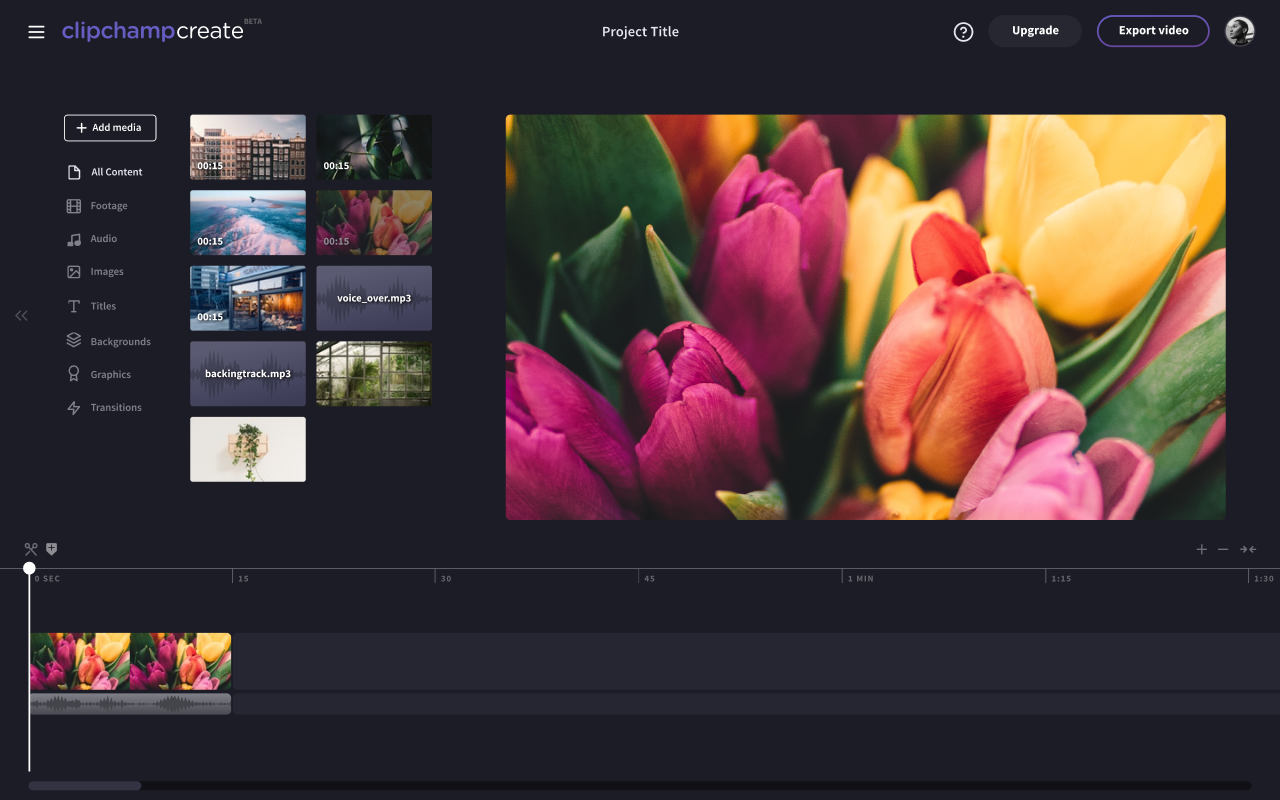
Their first editor looked great. It was dark and iMovie-like, but the team’s behavioral data showed that people who’d never edited a video couldn’t make sense of it. Only 30% of users finished a video.
Anna Ji, who ran growth at Clipchamp, asked my agency Jellypepper to help. In 2019, I was the product designer on their growth team, often working from their office. Anna set the strategy and roadmap. I did the design, and five of their developers built it.
One problem a week
Most of our projects at Jellypepper started with a look at the whole product. This one didn’t. It was growth work, so we went deep on one part of the product at a time, each tied to a number like drop-off between funnel steps or retention after someone’s first video.
We worked in a loose version of a design sprint. On Monday and Tuesday, Anna brought a user problem and the data behind it, usually funnel or revenue metrics. We talked through what led to it, then I came back with a hypothesis about why it was happening, based on behavioral patterns and customer feedback.
On Wednesday and Thursday I designed and prototyped solutions, and we talked through the tradeoffs. When there was time, we put a Figma prototype in front of a few dedicated users.
On Friday we presented to the whole company, about 40 people at the time, then planned the rollout with the developers, usually behind a feature flag or to a segment of users.
Starting at the end
The obvious place to start was the editor. We started at the other end of the funnel instead, with export. There’s no point making a leaky bucket bigger.
Export was short but confusing. Most of Clipchamp’s users weren’t technical and didn’t know which resolution suited what they were making. Different resolutions came with different plans or as one-off purchases, which is a lot to fit in a dropdown. And because you picked a resolution after checkout, choosing a higher one could mean going back, upgrading and starting the export again.
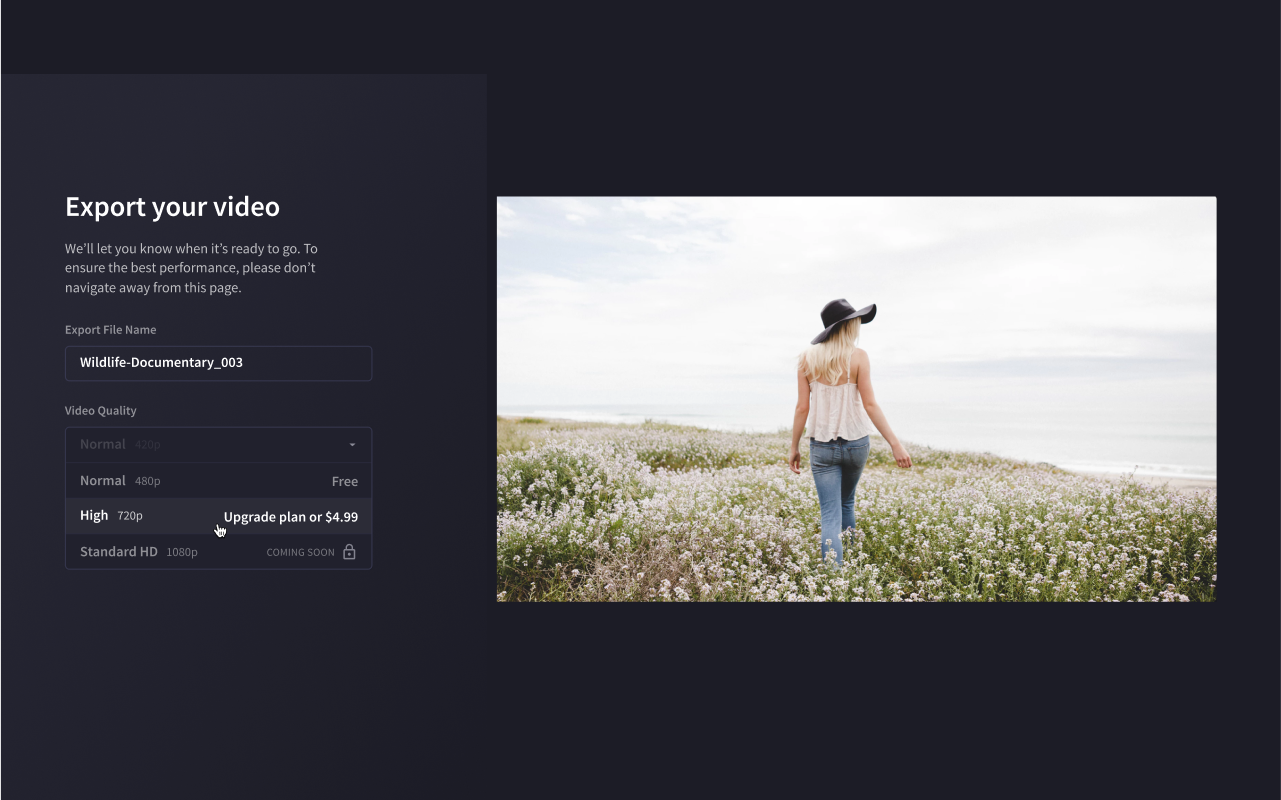
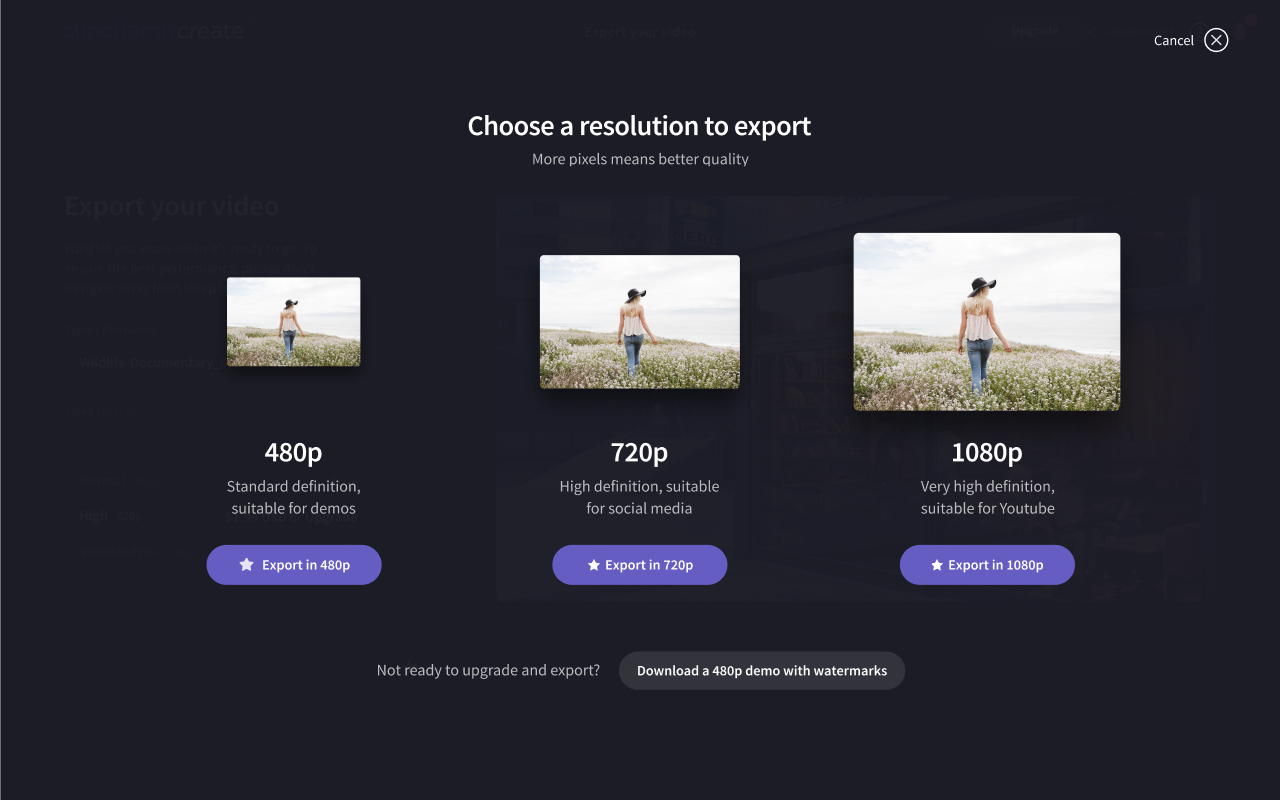
We turned it into a multi-screen flow. The first screen showed each resolution as a different-sized thumbnail, with a line about where it works best. If you picked one that needed a higher plan, the plans appeared in the same flow, and if you weren’t ready to pay, you could still download a watermarked 480p version. We also considered letting people choose a compression level, but decided to handle that automatically instead.
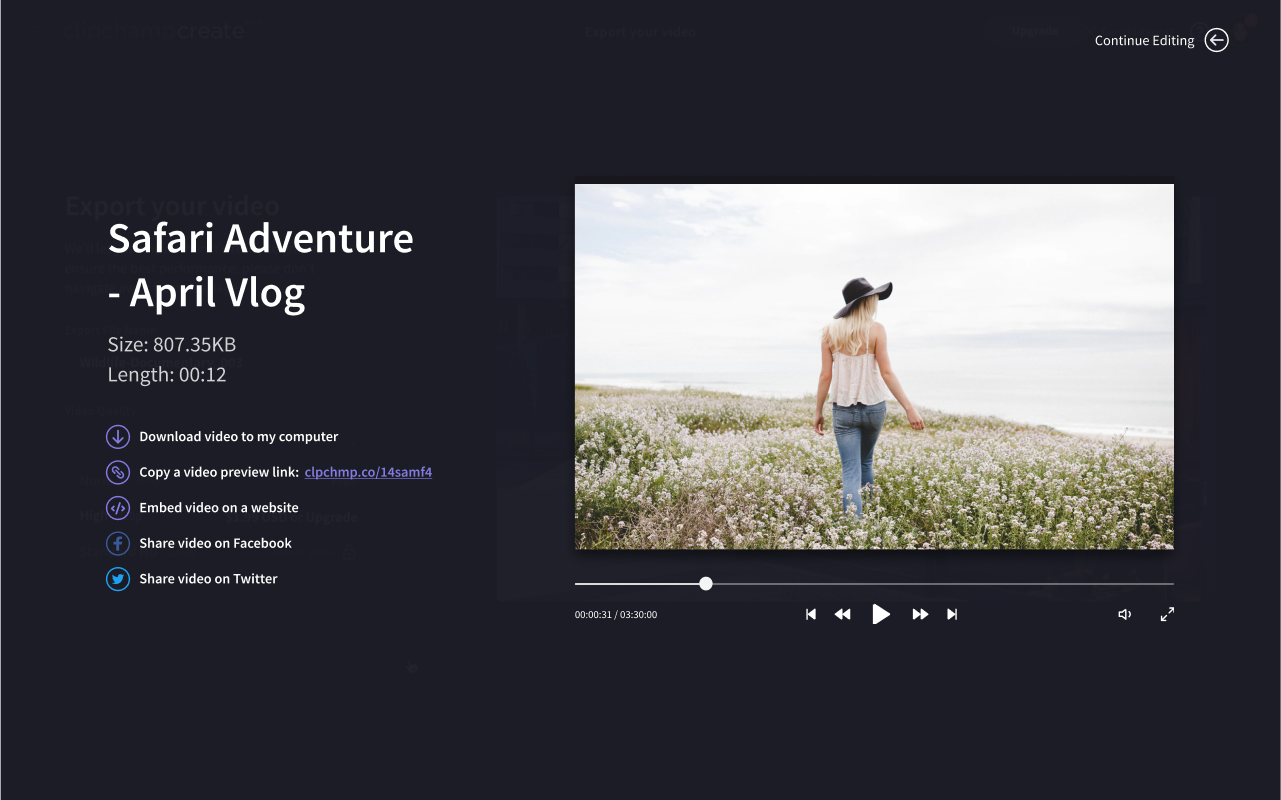
The download screen at the end used to be a single save button. We added a preview link, an embed code and sharing to Facebook and Twitter, so people could do more with a finished video than save it.
Every path through pricing
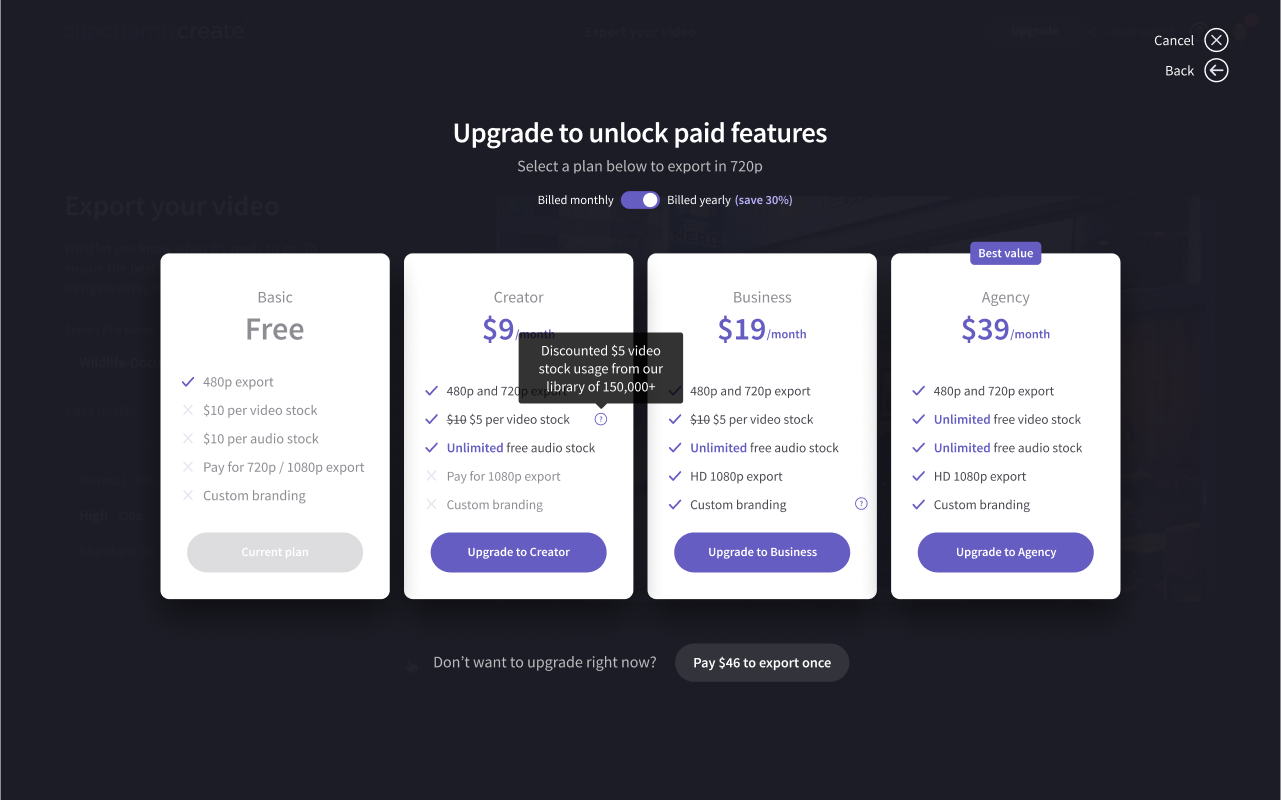
Pricing was harder. Between plans, add-on stock packs and micropayments for individual assets and resolutions, it confused even the Clipchamp team. They also wanted to replace the single Premium plan with plans for different kinds of customers: Creator, Business and Agency.
So before designing anything, I mapped every possible path through pricing for free, premium and business users, and wrote up every outcome.
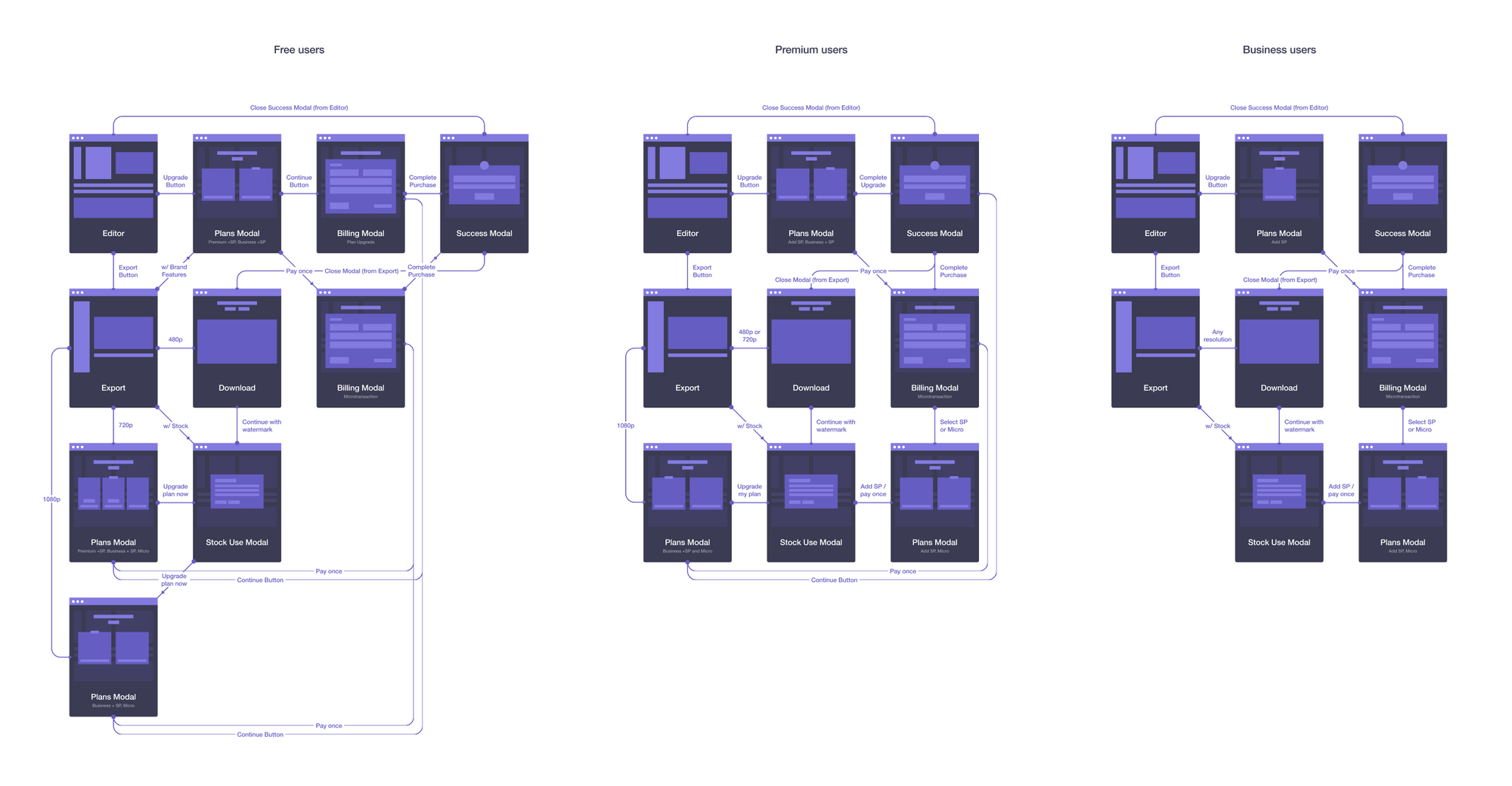
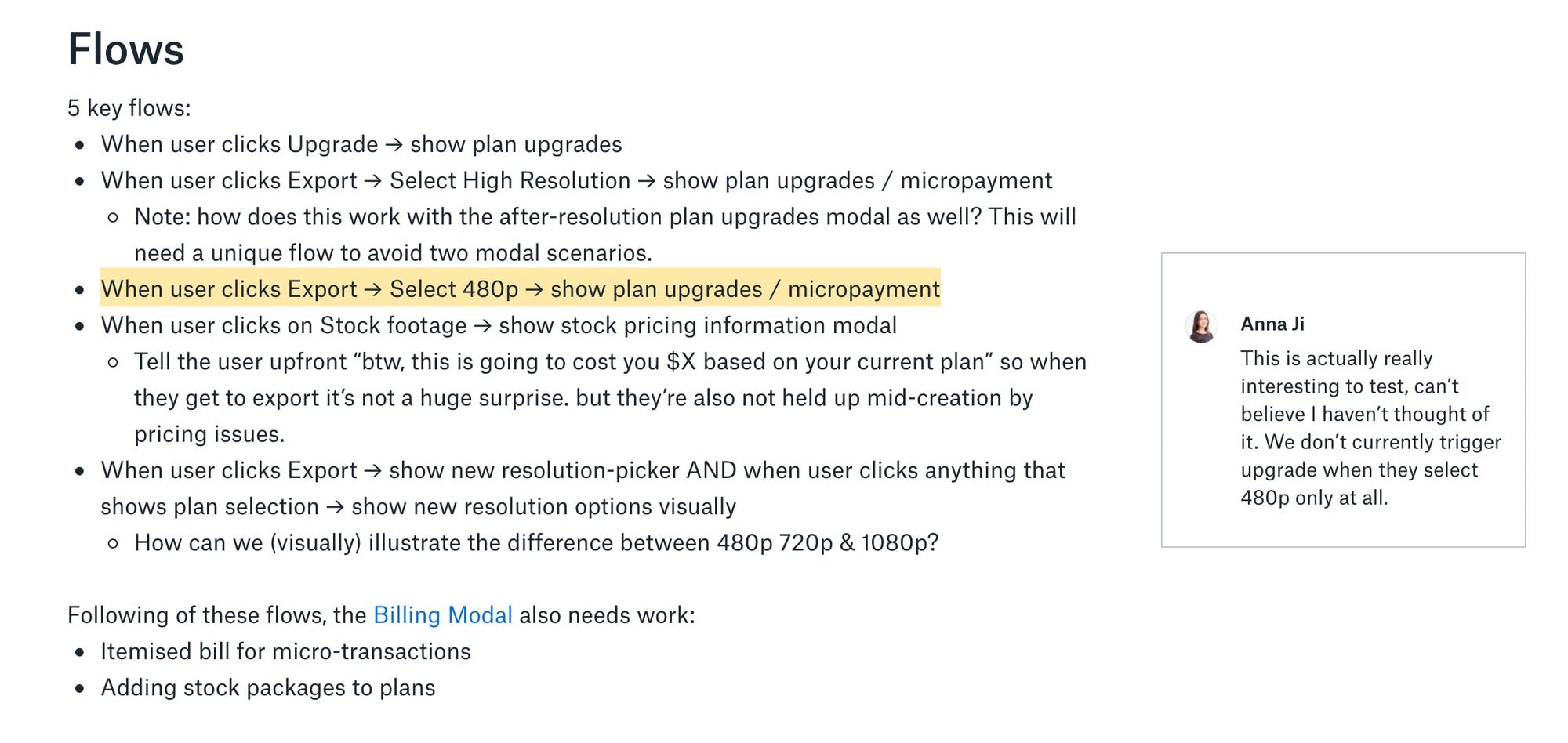
That turned up flows the team hadn’t considered. Exporting at 480p, for example, never prompted an upgrade at all. Anna left a comment saying she couldn’t believe she hadn’t thought of it.
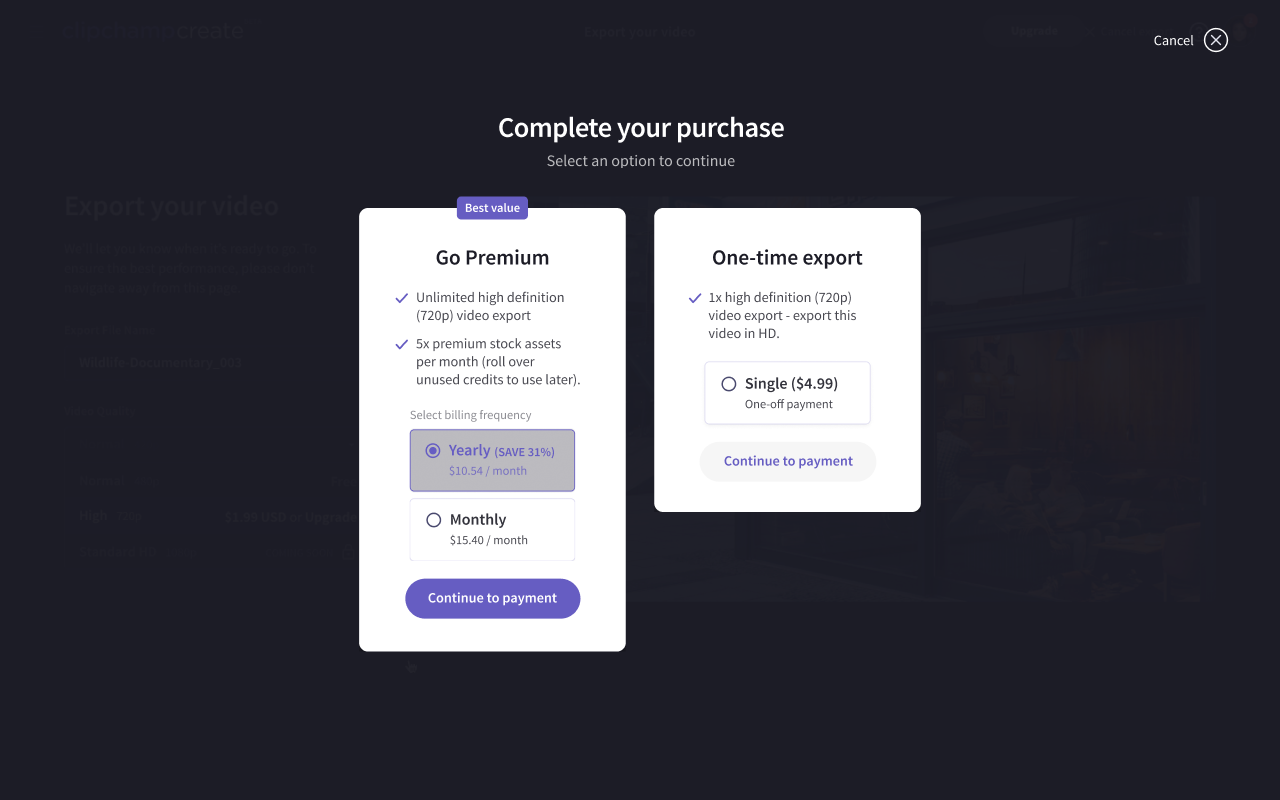
The new plans page asked for one decision at a time: billing period first, then a plan or a one-off purchase. Each plan showed a price that updated with the billing period and a short list of features you could compare across, with tooltips for detail. One-off purchases moved below the plans as a secondary option. We went through several rounds of testing with real users before settling on it.
Checkout had more basic problems. The PayPal button was wrong, which mattered because about 60% of customers paid with PayPal. Card details weren’t saved, and the sales team wanted a coupon field. We fixed those, then put the payment details beside an itemized bill and added a quote from a customer.
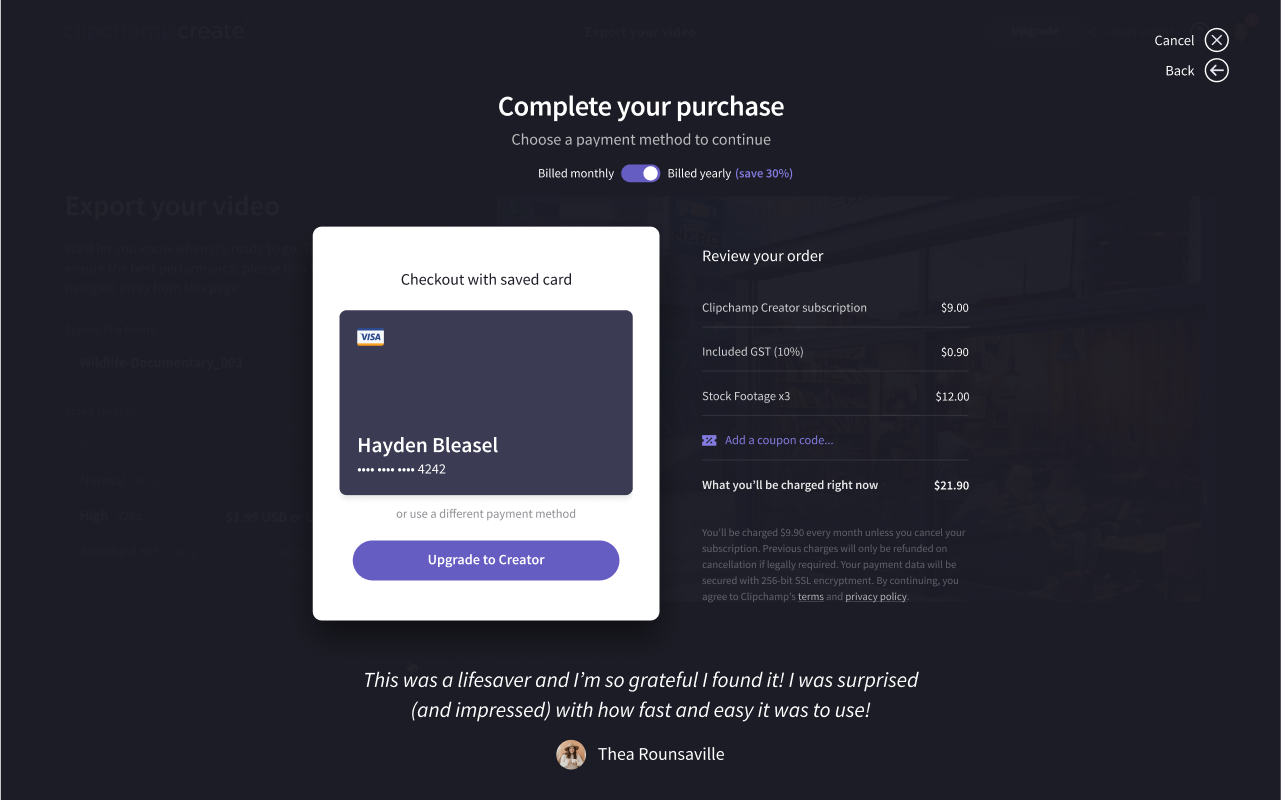
Together, the pricing and checkout changes increased checkout conversion by 30%.
Blank canvas fear
Around 85% of Clipchamp’s users had little experience editing video, and an empty editor stopped a lot of them. The team called it blank canvas fear, and it’s a big reason only 30% of users finished a video. The goal was to raise that by at least 10%.
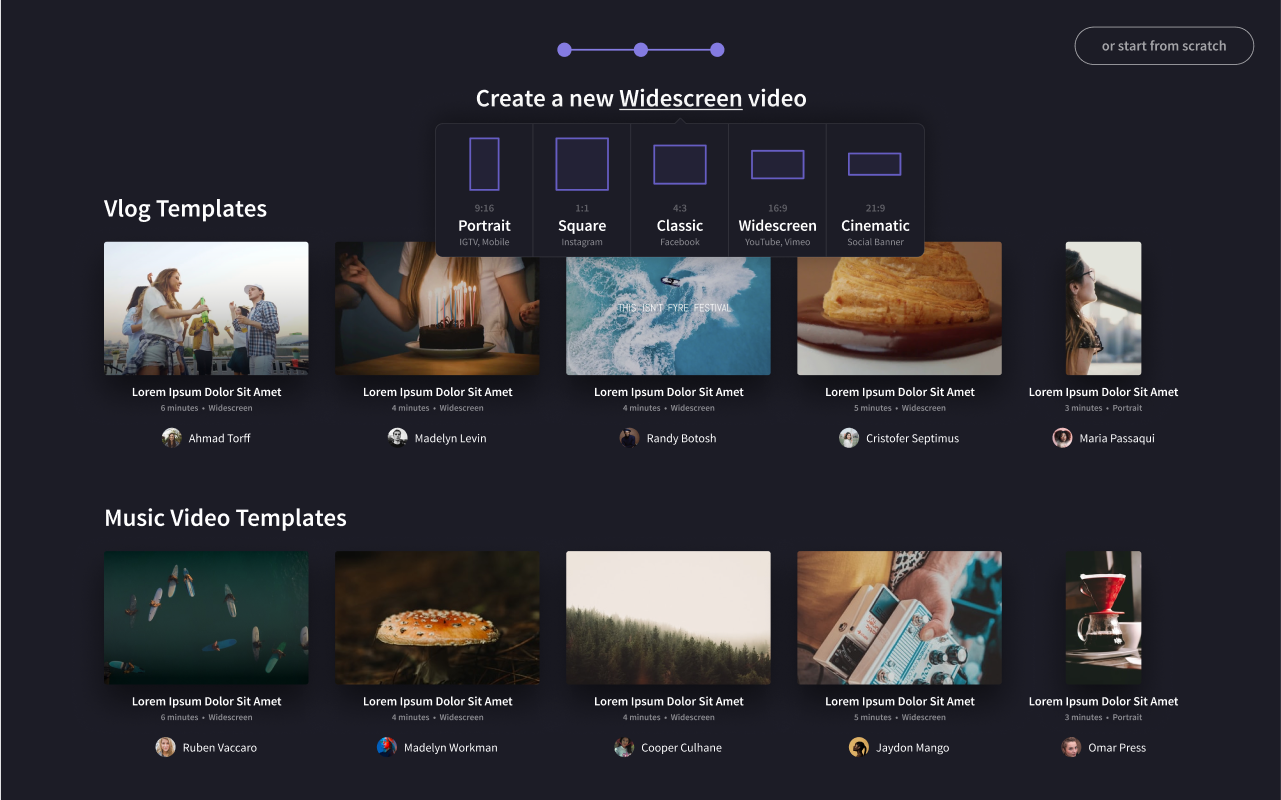
We tried two things. The first was templates: ready-made projects with titles, stock footage, music and transitions, organized by outcome (product demos, event highlights), occasion (birthdays, weddings), audience (restaurants, startups) and platform (Facebook, Instagram, YouTube).
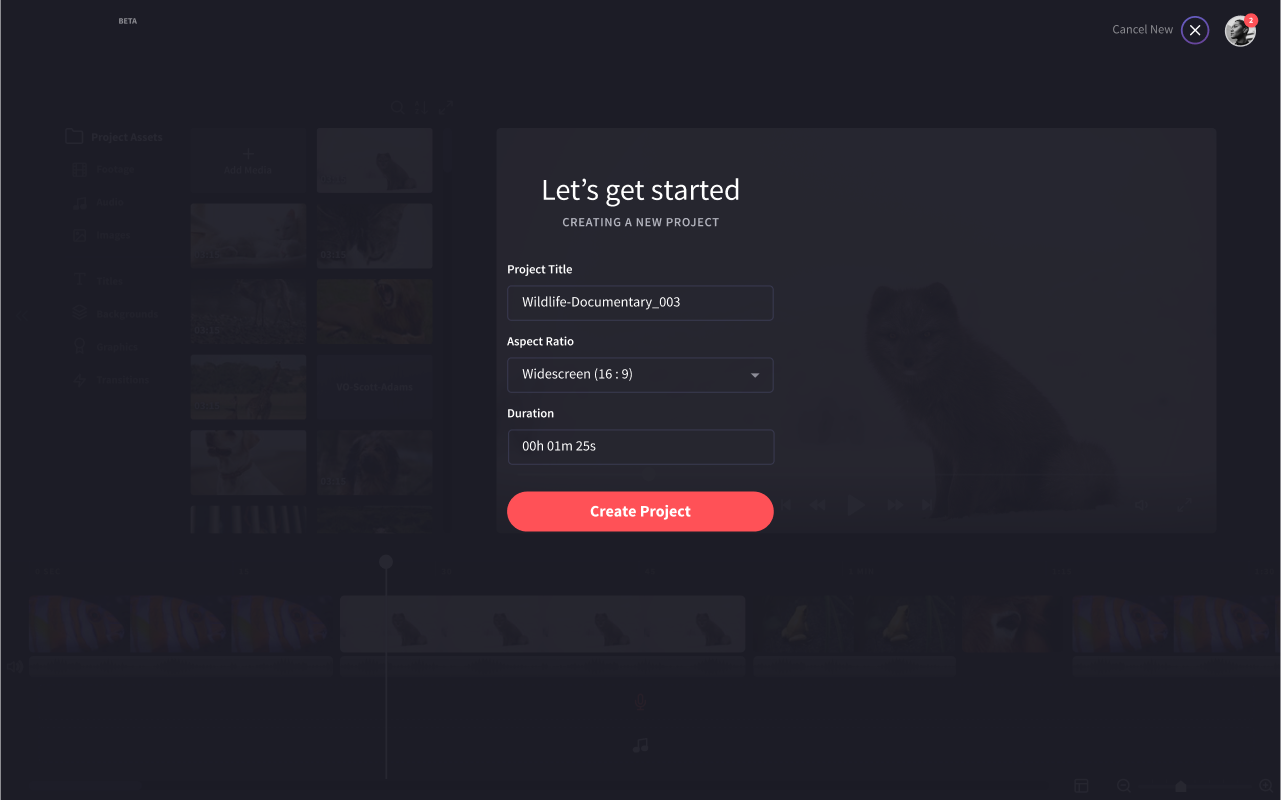
The second was how a video got started. It used to be a modal that asked for an aspect ratio, which is jargon to most people. The new flow asked what you were making and where you’d post it, described each format in plain terms and offered templates to match.
The editor, last
By the time we got to the editor, most of the funnel around it had changed. The goal was a cleaner layout with better use of space, and most of the changes came down to showing less until you needed it.
The properties panel only appeared when you selected a clip. Keyboard shortcuts appeared when you held the Command key. Media moved from a floating menu into a sidebar with tabs for stock, uploaded and used assets. When you dragged media in, the timeline highlighted the tracks with room for it, since each track only takes one type of media.
We also replaced Appcues with built-in cues, so product tours could show you how to drag media onto the timeline, and added a star to anything that needed a paid plan.
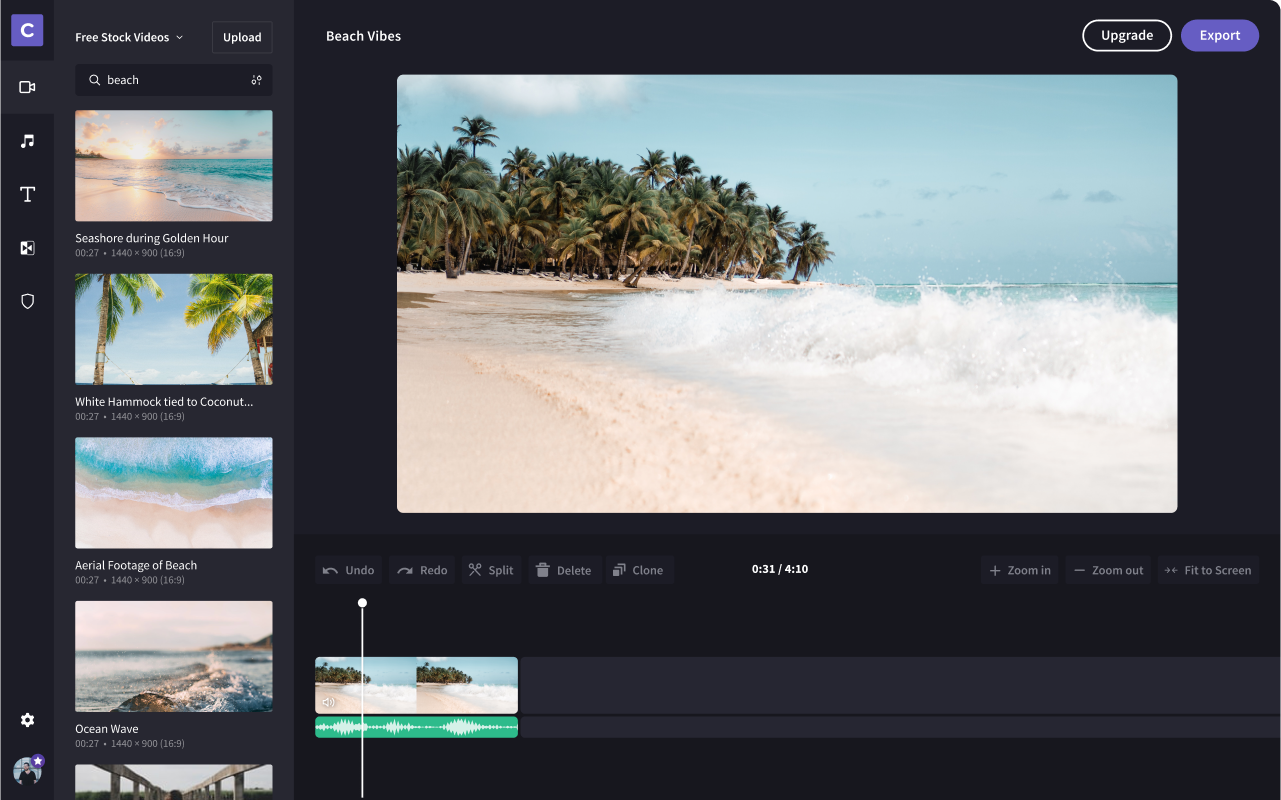
The new sidebar increased content adoption by 20%, and pro users told us the shortcuts made them much faster.
Not everything fit in a week
The biggest new feature was Brand Centre, a place for your logos, colors and fonts so a team could make on-brand videos at scale. Professional users, agencies and enterprises had been asking for it.
It took five sprints. We put interactive prototypes in front of a few key customers and reworked the concepts after each round. The question that shaped it most was whether Brand Centre was for convenience or enforcement, saving people from uploading their logo every time or making sure every video matched the brand.
We wrote the releases as user stories, and most of them were about saving time: “When branding beyond the first video, I want to access my logo without having to upload it again.” That led to logo tracks, uploaded brand fonts, a color palette, intro and outro slates and brandmarks (reusable blocks for titles, calls to action and social handles).
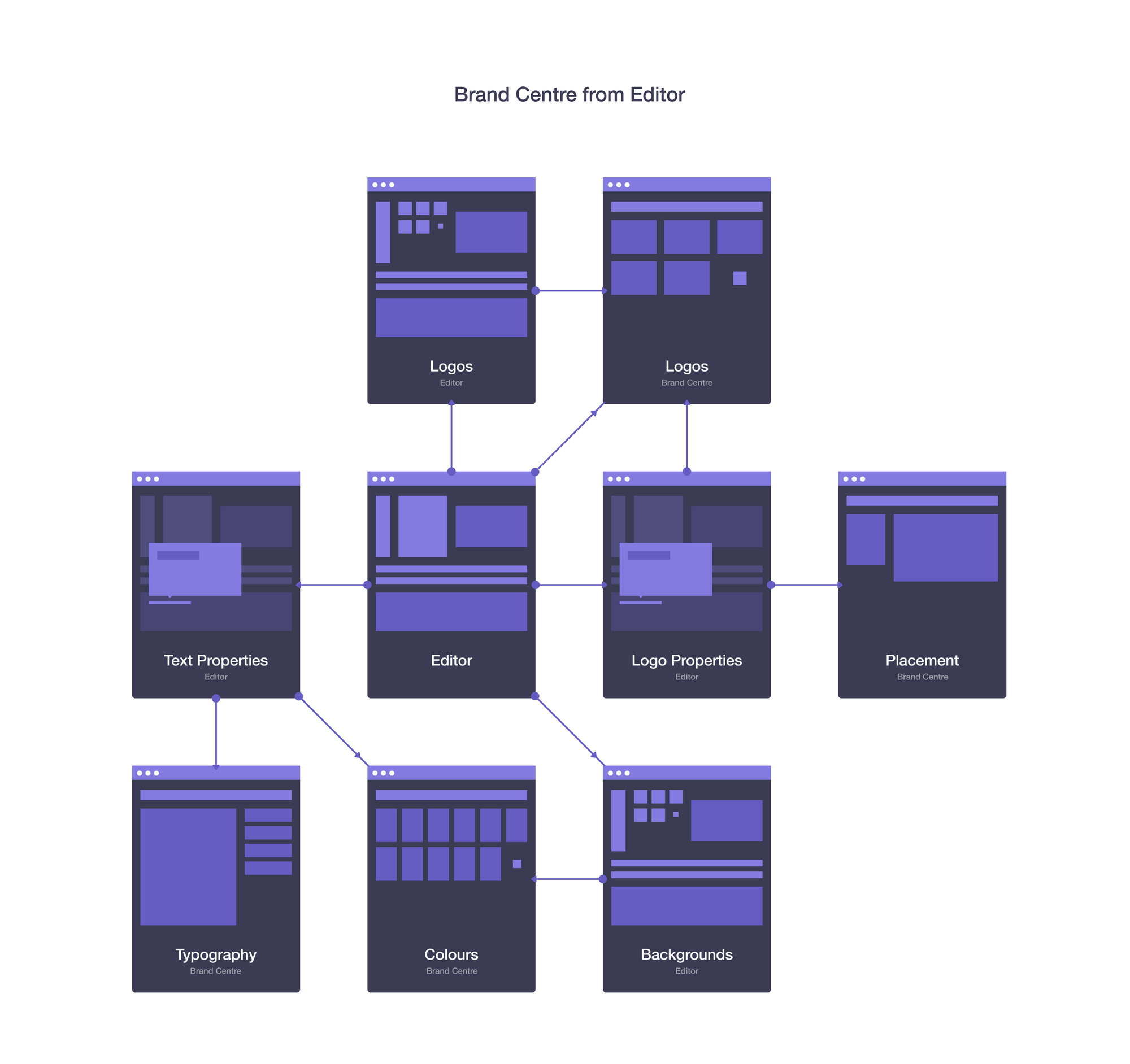
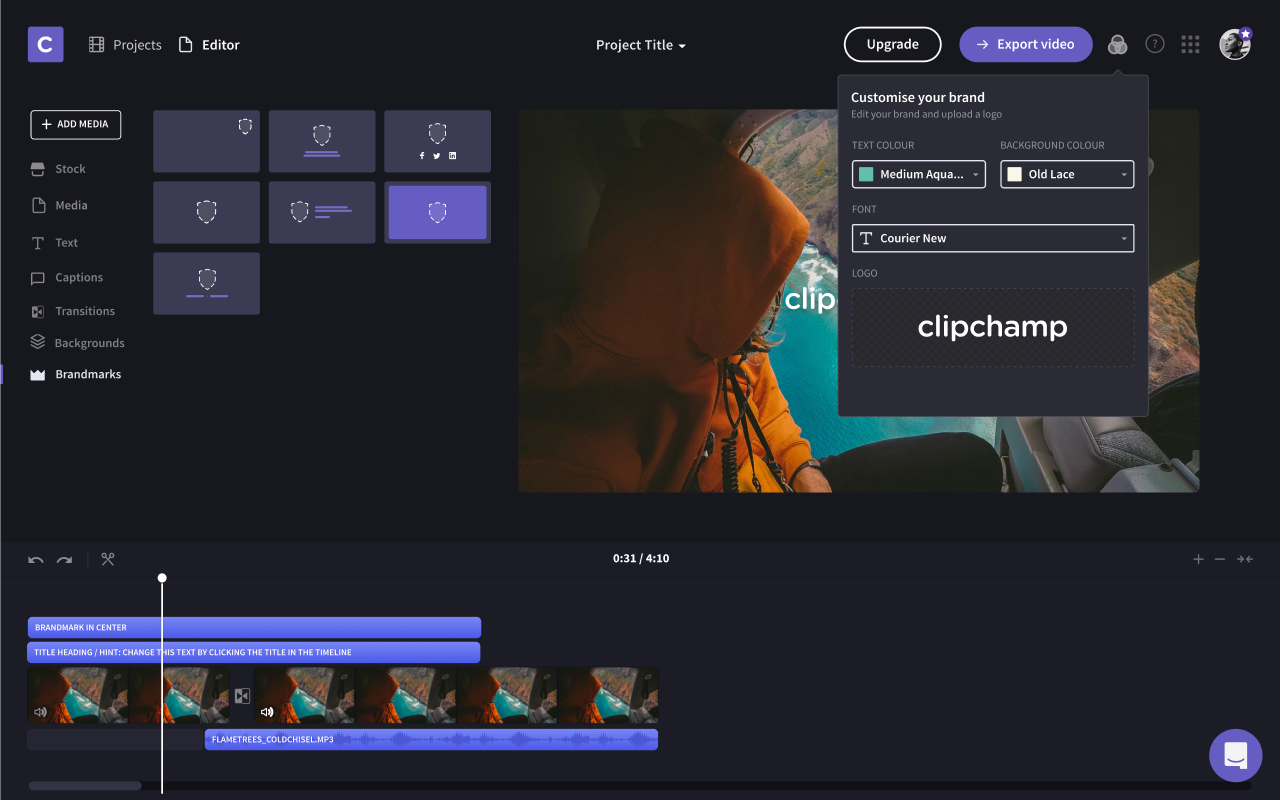
Brand Centre shipped as a place to organize and store brand assets together.
Looking back
The earlier experiments had the clearest results: checkout conversion up 30%, content adoption up 20% and user growth accelerated by at least 20% over three months. Clipchamp kept rolling out the later ones after we finished.
The biggest thing I learned was how to work as a team in weekly sprints. There wasn’t time to wait on feedback or explore a dozen directions, so I learned quickly what it takes to keep a team learning and shipping every week. Anna and I built the Friday deck together every Thursday, and we got better at turning raw data into something management, product and sales could each use.
The cost showed up later. Because we went deep on one part of the product at a time, most of what I designed was built on in isolation, with no design system or even a consistent style guide holding it together. Design sprints are good at solving problems quickly. They’re not a permanent way to design a product.